Disclosure: The Stack Guidebook is reader-supported. When you buy through links on our site, we may earn an affiliate commission. Learn more in our Affiliate Disclosure.
Prices and features checked against official pages: October 2026.
Quick Answer
Small teams miss comments and DMs because messages arrive in several apps and nobody owns them. The fix is a routine first and a tool second: pick one person to own each inbox slot, set a reply target, and use labels and notes so nothing is lost at hand-off. A shared inbox such as Vista Social’s, which is listed on every plan from $99 per month, helps once the routine exists, and its keyword-based DM automation can remove some repetitive replies. If you receive only a handful of messages a day, a manual routine may be all you need.
Start with Vista Social’s 14-day free trial
Vista Social’s FAQ says no credit card is needed for the trial.
Why Do Small Teams Miss Comments and DMs?
Messages are spread across each network’s own app, notifications are muted or shared by accident, and nobody is clearly responsible for a given inbox. Cover for holidays and evenings is often unplanned. The result is a reply that arrives days late or never, and the follower or customer notices before you do. This is a process problem as much as a tool problem, which is why the steps below come before any product.
What Does a Reliable Reply Routine Look Like?
It has an owner, a target and a hand-off rule. You can set it up in an hour with whatever tools you have today.
- List every inbox. Each connected network has comments, and some have DMs. Write them down.
- Name one owner per inbox per day. A shared responsibility is nobody’s responsibility.
- Set a reply target you can keep. For example, the same business day for questions; pick a number you can actually meet.
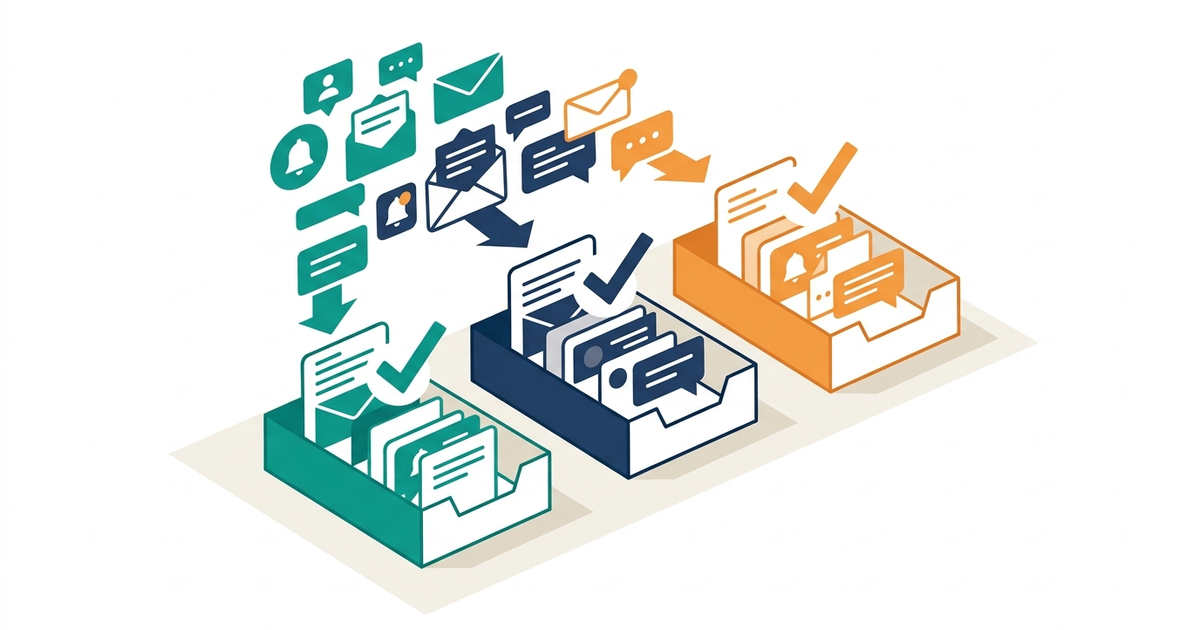
- Sort messages into three kinds: quick answers, questions that need someone else, and sensitive messages such as complaints or refunds.
- Write short saved replies for the quick answers, and agree who handles the sensitive ones personally.
- Check weekly: how many messages arrived, how many waited past your target, and why.
The reply target and sorting categories above are examples for you to adapt. They are not figures from Vista Social or any study.
When Does a Shared Inbox Change the Workflow?
A shared inbox helps when the number of networks makes the routine hard to keep by hand. Vista Social’s Social inbox gathers messages from connected networks into one stream with a conversation view, task assignment, labels and internal notes, and its engagement page describes turning messages into support tickets through a Zendesk connection (the pricing page lists Zendesk integration under Scale, so confirm your plan in the trial). The site’s FAQ confirms comment and DM handling for Facebook and Instagram, and comment handling for TikTok, YouTube and LinkedIn. We did not find a clear statement for X, Threads, Reddit or Google Business Profile on the pages we checked, so confirm those in a trial if you depend on them.
Can You Automate Some Replies Safely?
Partly, and only for messages where a fixed reply is genuinely enough. Vista Social lists DM automations on every plan, including keyword triggers on comments that send a direct message, built with Quick Automations or the Flow Builder. Its help documentation also describes AI-generated or fixed-text replies with a hand-off to a person, and AI intent triggers on Advanced and above. Vista Social’s FAQ states that it is an official and approved application on Meta and TikTok and is audited regularly; that is the vendor’s own claim, so read the platforms’ current rules too. Keep complaints, refunds and anything legal or medical with a human.
What Limits Should You Check Before Automating?
Check the contact allowance and the plan. The pricing page lists 10,000 DM contacts on Professional, 25,000 on Advanced and 100,000 on Scale, and the plan card lists AI credits of 1,000, 2,000 and 3,500 per month. Test one automation on a single post before turning it on across your accounts, and tell your team what it sends so nobody is surprised by a reply in their name.
How Much Does a Shared Inbox Cost?
Vista Social’s Professional plan is $99 per month, or $950 per year with annual billing, with 15 profiles and two users on the plan card. The user count in the site’s FAQ differs from the plan cards, so confirm it in the trial. X (Twitter) is a $29 per month add-on. If your team is small and your message volume is low, a lower-priced scheduler with an inbox may be enough; see our Vista Social vs Later comparison for one such option.
When Is Manual Handling Still Enough?
If you receive only a few messages a day on one or two networks, and one person checks them at fixed times, you may not need a new tool. A simple test: for one week, count the messages that arrive and the ones that waited longer than your target. If the late count is zero, keep the routine. If it is more than a couple per week, or the number of networks keeps growing, a shared inbox starts to pay for itself.
How Do You Set Up Vista Social for Replies?
- Connect the profiles that receive the most messages first.
- Use labels for the three message kinds above and assign each conversation to a person.
- Add internal notes when a conversation moves between people.
- Build one keyword automation, test it on a single post, and review the replies it sends.
- Review the weekly count against your reply target.
This outline follows what Vista Social’s pages describe. We have not run it ourselves, so treat the first week as a test. For an overview of the whole tool, see our Vista Social review.
How Do You Cover Evenings, Weekends and Time Off?
Decide this before it happens, because gaps are where messages get lost. Name a backup for every owner, and write down what the backup may answer alone. Agree a time window you will cover and say so on your profiles if replies outside it are slower. If you use automation, use it to acknowledge simple questions outside the window, and leave anything sensitive for a person to handle the next working day. Review any message that waited through a weekend and ask whether the rule or the staffing needs to change.
What Should a Saved Reply Include?
Keep saved replies short, specific and easy to edit. A good one answers the question in the first sentence, gives one next step, and leaves room for a name. Avoid replies that read as automatic when a person is expected. Review them every few weeks and remove any that have started to feel out of date.
FAQ
Does Vista Social include a shared inbox on its cheapest plan?
Yes. The pricing page lists the Social inbox and DM automations on Professional, Advanced and Scale.
Which networks can I reply to from the inbox?
The site’s FAQ confirms comments and DMs for Facebook and Instagram, and comments for TikTok, YouTube and LinkedIn. Other networks were not clearly stated.
Can it reply to comments automatically with a DM?
Yes, for keyword-based triggers. Vista Social’s DM automations send a direct message when a comment contains a keyword you set.
How many DM contacts can I have?
10,000 on Professional, 25,000 on Advanced and 100,000 on Scale, according to the pricing page.
Do I need to pay extra for X?
Yes. Publishing to X is listed as a $29 per month add-on on every plan.
Summary
Missed messages come from unclear ownership more than from missing software. Set an owner, a reply target and a sorting rule, then bring in a shared inbox when the number of networks makes the routine hard to keep. Vista Social’s inbox and keyword DM automation cover that need on every plan, so test them on your busiest profiles and check the week’s late-reply count afterwards.
Start with Vista Social’s 14-day free trial
Connect your busiest profiles and run the routine for one week.
Product features, plan limits, and prices change over time. Always confirm current details on the official Vista Social website before making a purchase decision.