Disclosure: The Stack Guidebook is reader-supported. When you buy through links on our site, we may earn an affiliate commission. Learn more in our Affiliate Disclosure.
If you manage social accounts for a living, the real problem usually isn’t posting content – it’s everything around it. Bouncing between five or six native apps to schedule posts, hunting for the comment that needs a reply before it turns into a support ticket, and rebuilding the same performance report from scratch every reporting period. None of that is difficult work exactly. It’s just repetitive, easy to drop, and hard to hand off to someone else on the team without a shared system.
That’s the gap social media management platforms are built to close: one place to plan, publish, respond, and report, instead of a patchwork of tabs and spreadsheets. Vista Social is one of the newer entrants in that space, positioning itself as an all-in-one option for brands and agencies. This review walks through what it actually does, what it costs, where it holds up, where it doesn’t, and how it compares to the tools most teams already have on their shortlist.
Want to see how the inbox and scheduling calendar actually feel to use? Vista Social offers a 14-day free trial so you can test them with your own profiles.
Start Free with Vista Social
What Is Vista Social?
Vista Social is a social media management platform built around four core jobs: scheduling and publishing content, managing engagement (comments and direct messages) from one inbox, tracking performance through analytics and reporting, and monitoring online reviews across sites like Google, Yelp, and TripAdvisor. It’s aimed primarily at small-to-midsize marketing teams, freelancers, and agencies managing multiple client accounts, rather than large enterprises with complex approval hierarchies – though its higher tiers do stretch toward that use case.
The platform connects to the major networks teams typically need day to day, including Facebook, Instagram, X, LinkedIn, TikTok, Pinterest, YouTube, and Google Business Profile, with support for newer platforms like Threads and Bluesky as well. Like most tools in this category, Vista Social layers AI-assisted writing and idea generation on top of the core publishing workflow, and it offers a 14-day free trial for people who want to test the waters with a handful of profiles before committing to a paid plan.
What tends to separate Vista Social from older, more established players is less about any single flagship feature and more about breadth: it tries to fold scheduling, engagement, listening, and reputation management into one subscription rather than requiring separate tools stitched together with integrations.
3 Things to Look for in a Social Media Management Tool
Before comparing specific platforms, it helps to fix the criteria you’re actually evaluating against. Feature lists tend to look similar across this category on the surface, so the differences that actually affect day-to-day work usually show up in three areas:
- How pricing scales with your team, not just your feature needs. Some platforms charge per user, others per social profile, and others per client workspace. A tool that looks affordable at your current size can get expensive quickly if the collaboration features you need are locked behind a pricier tier.
- Where engagement lives. A comments-and-DMs inbox sounds like a minor feature until you’re the one manually checking six apps for anything that needs a same-day reply. Look at how clearly a platform separates comments from DMs, and whether automation exists for repetitive replies without feeling impersonal.
- Reporting that matches who reads it. Internal teams and agencies serving clients often need very different reports from the same underlying data. Custom or white-label reporting saves real time for client-facing work; a simpler dashboard is often enough when reporting stays internal.
Keep these three lenses in mind as you read through what Vista Social offers – they’re the same lenses worth applying to any competitor on this list.
Key Features
- Content planning and publishing. A visual content calendar for drafting, previewing, and scheduling posts across connected profiles, including bulk scheduling for teams that plan content in batches. Posts can be customized per platform rather than forced into a single generic format.
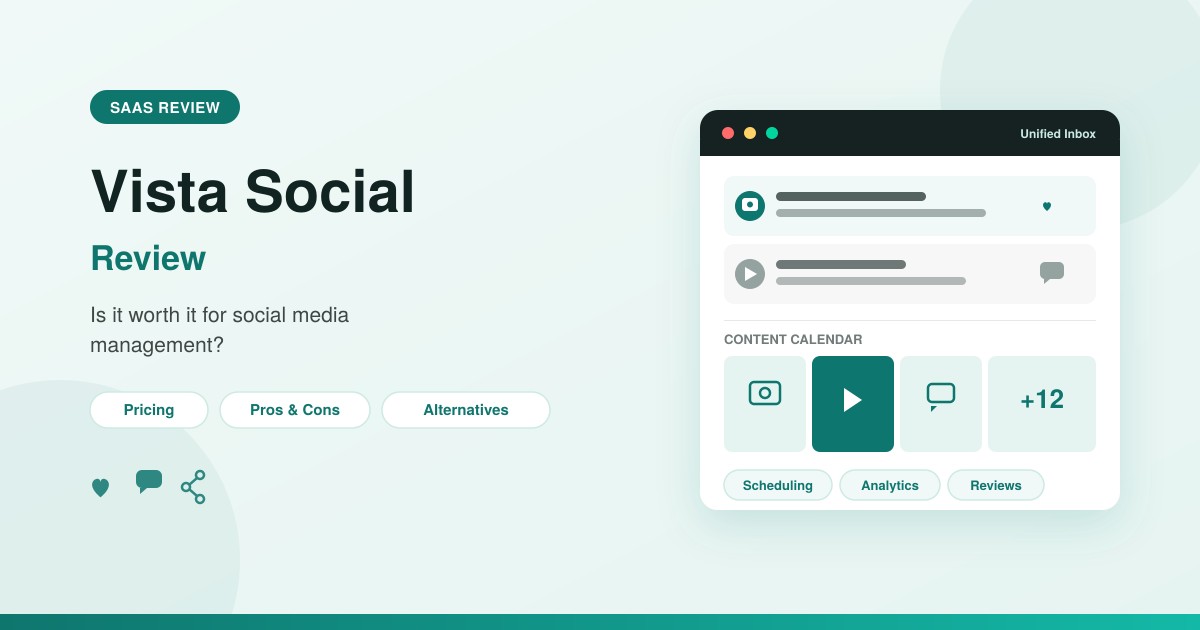
- Unified social inbox. Comments and direct messages from connected accounts land in a single inbox, so a community manager isn’t switching between five native apps to catch every mention or DM. This centralizes day-to-day engagement work so a community manager can handle supported comments and direct messages from one workspace.
- AI content assistance. A built-in AI writing assistant for generating captions and organizing content ideas, plus tools for finding and curating content to schedule. Usage is tied to a monthly AI credit allowance that varies by plan – 1,000 credits on Professional, 2,000 on Advanced, 3,500 on Scale, and unlimited on Enterprise – rather than being unlimited on every plan.
- DM automation. Automated reply workflows and keyword-triggered responses for direct messages, useful for capturing and qualifying leads without needing someone watching the inbox constantly.
- Analytics and custom reporting. Cross-channel reports for comparing performance across platforms side by side, plus a custom report builder and automated report scheduling – a meaningful time-saver for agencies sending recurring client reports.
- Review management. Reviews from sites like Google, Yelp, and TripAdvisor feed into the same dashboard used for social posting, useful for local and multi-location businesses tracking reputation alongside social activity.
- Social listening (add-on). Tracking and listening for content on your own connected social profiles is included; broader listening across social, web, and news mentions is available as a paid add-on starting at $75/month.
- Collaboration and approval workflows. Content approval and collaboration capabilities are available starting on the Professional plan, with more advanced planning and approval workflow options on Advanced and above.
- Link-in-bio page. A built-in landing page tool for consolidating links on platforms like Instagram and TikTok, without needing a separate link-in-bio service.
Pricing Overview
Vista Social uses a tiered, profile-based pricing model rather than charging strictly per user, which can work in favor of teams managing many social profiles without paying per teammate. The prices below are the figures displayed on Vista Social’s pricing page when we checked on October 6, 2026, and they can change, so confirm current numbers there before budgeting.
| Plan | Monthly | Annual | Profiles | Users |
|---|---|---|---|---|
| Professional | $99/month | $950/year | 15 | 2 |
| Advanced | $199/month | $1,910/year | 30 | 3 |
| Scale | $449/month | $4,310/year | 70 | 4 |
| Enterprise | Custom | Custom | Customizable | Customizable |
Yearly billing currently advertises roughly 20% savings compared with paying monthly. Beyond profile and user counts, tiers also differ on AI credit allowances (1,000/month on Professional, 2,000 on Advanced, 3,500 on Scale, unlimited on Enterprise) and on workflow depth – Professional includes core collaboration and post-approval workflow, while Advanced adds more advanced planning and approval workflows plus Zapier and Make integrations. Two add-ons are billed separately from the base plan: X (Twitter) publishing, boosting, automations, and analytics run $29/month on Professional, Advanced, and Scale, and broader listening across social, web, and news – beyond your own connected profiles, which is included – starts at $75/month. These figures were checked on October 6, 2026; confirm them on Vista Social’s official pricing page before purchasing.
Pros and Cons
Pros
- Combines scheduling, inbox, listening, analytics, and review management in one subscription
- The unified inbox for comments and DMs cuts down on checking multiple native apps to catch replies
- Profile-based rather than strict per-user pricing can suit lean teams managing many accounts
- A 14-day free trial makes it easy to evaluate the platform before committing to a paid plan
- Review management folded into the same dashboard as social posting
Cons
- More advanced planning and approval workflows are reserved for the Advanced plan and above, beyond what’s included on Professional
- Comments and DMs can take some getting used to distinguishing in the inbox
- AI credits are capped by plan tier (1,000 to 3,500 per month on paid plans, unlimited only on Enterprise) rather than unlimited across the board
- Certain networks and social listening are billed as add-ons rather than included
- Younger brand than long-established players like Hootsuite or Sprout Social, so it has a shorter public track record to evaluate against
Who Should Use Vista Social?
- Solo creators and freelancers juggling a handful of client or personal accounts – a strong fit for evaluating during the 14-day free trial or on the Professional plan.
- Small marketing teams managing a defined set of brand profiles, where Professional or Advanced gives enough capacity without paying for enterprise-scale limits.
- Agencies managing multiple clients – arguably the platform’s core audience, given client-friendly reporting, review management, and more advanced approval workflows on Advanced and above.
- Local and multi-location businesses that benefit from built-in review management across platforms like Google and TripAdvisor alongside social scheduling.
Larger enterprises with complex approval chains or deep custom-integration needs may find the Enterprise tier workable, but should weigh it against more established enterprise-focused platforms with a longer procurement track record.
Not sure which plan fits your team size? Vista Social’s 14-day free trial is a way to test the inbox and scheduling workflow before committing to a paid plan.
Try Vista Social Free
Vista Social Alternatives
Vista Social competes in a crowded category, and the right alternative usually comes down to team size, budget, and which single feature matters most – scheduling simplicity, deep analytics, agency-style client management, or visual content planning.
| Tool | Pricing Tier | Key Features | Best For |
|---|---|---|---|
| Vista Social | 14-day free trial; Professional through Enterprise plans | Scheduling, unified inbox, AI assistant, review management | Agencies and small teams wanting an all-in-one tool |
| Hootsuite | Paid plans, scaling to enterprise | Broad platform support, robust analytics, large app ecosystem | Larger teams needing extensive integrations |
| Sprout Social | Paid plans | Advanced analytics, CRM-style contact history | Data-driven teams prioritizing deep analytics |
| Buffer | Free tier available, plus paid plans | Simple, clean scheduling and analytics interface | Solo users and small teams wanting simplicity |
| SocialPilot | Paid plans that scale by client count | Client management, bulk scheduling, white-label reports | Agencies watching cost per client closely |
| Later | Paid plans available | Visual content calendar, strong Instagram/TikTok planning | Visually driven brands and influencers |
| Agorapulse | Paid plans available | Unified inbox, social CRM, team collaboration tools | Teams prioritizing engagement and inbox management |
Vista Social vs Hootsuite
Hootsuite is one of the longest-standing names in the category and remains a common default for larger organizations because of its breadth of platform integrations and third-party app ecosystem, and its maturity is hard to match for complex, multi-department organizations.
Vista Social vs Sprout Social
Sprout Social leans heavily into analytics depth and a CRM-style approach to audience relationships, tracking contact history in a way that appeals to larger teams doing sophisticated reporting. That depth can be more than smaller teams need if they mainly want scheduling and a shared inbox rather than advanced analytics.
Vista Social vs Buffer
Buffer takes the opposite approach: a deliberately simple, uncluttered interface focused on scheduling and straightforward analytics, without the review management or heavier engagement tooling Vista Social includes. Its simplicity makes it a common starting point for solo users, though larger agencies tend to outgrow it once client and collaboration needs grow more complex.
Vista Social vs SocialPilot
SocialPilot is frequently positioned as an agency-focused alternative, with solid bulk-scheduling and white-label reporting built around client count. It generally trades some of the polish and AI features found in newer tools like Vista Social for a more straightforward, client-count-based structure.
Two more worth a brief mention: Later is a strong fit for visually driven brands and influencers thanks to its Instagram/TikTok-focused calendar view, though its engagement and review-management tools are less developed. For a side-by-side look at the two on replies, inbox and price, see our Vista Social vs Later comparison. Agorapulse competes most directly with Vista Social on the inbox and engagement side, so the choice often comes down to interface preference and reporting style.
Final Verdict
Vista Social’s core pitch is to bring scheduling, engagement, listening, and reviews into one dashboard. The unified inbox and review management stand out as genuine strengths, and the profile-based pricing model is worth weighing against per-user competitors depending on how your team is structured. The trade-offs are mostly about where features sit in the pricing ladder: smaller teams that need more advanced approval workflows will need to budget for the Advanced plan to get them, and add-on costs for certain networks or listening features mean the effective price can run higher than the entry number suggests.
If your team’s biggest pain points are a scattered inbox and manual review monitoring, Vista Social’s combination of features is worth evaluating directly against whatever you’re using now. If deep, CRM-style analytics or a long enterprise track record matter more than breadth, one of the alternatives above may be a closer fit.
Ready to see it in action? Connect a couple of real profiles on Vista Social’s 14-day free trial and see how the inbox and reporting hold up before choosing a plan.
Start Free with Vista Social