Disclosure: The Stack Guidebook is reader-supported. When you buy through links on our site, we may earn an affiliate commission. Learn more in our Affiliate Disclosure.
Prices and features checked against official pages: October 2026.
Quick Answer
To give a contractor access to one system, put them in their own team, give that team a gateway that reaches only that system (confirm in the help pages that your plan supports this), and remove the account when the work ends. NordLayer’s help pages describe teams, gateways and IP allowlisting for this. They do not say which plan includes each feature, so confirm it before you buy.
See NordLayer plans
NordLayer plans have a five-user minimum.
Why Is Giving a Contractor Access Risky for a Small Team?
It is risky because the easy options give too much. A shared account has no owner, and a flat VPN login can put a contractor on the same network as everything else. When the work ends, nobody remembers to close it.
What Does “Solved” Look Like for Contractor Access?
The contractor has their own login, reaches only the one system they were hired for, and loses access on the day the work ends.
What Does Contractor Access Need?
- A separate account for the contractor.
- A way to limit what that account can reach.
- Sign-in checks such as multi-factor authentication.
- A defined end date and a person who removes access.
- A record of who has access.
How Do You Give a Contractor Access to One System Step by Step?
- Name the one system. Write down its address or hostname and who owns it.
- Create a separate team for contractors. NordLayer’s help pages describe teams used for network segmentation.
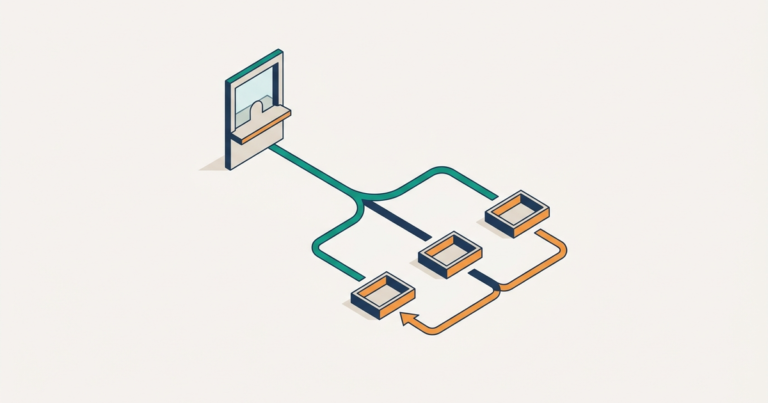
- Assign a gateway that reaches only that system. The help pages say users reach only the resources their team and role require.
- Require a second sign-in step. The help pages list 2FA and SSO before application access.
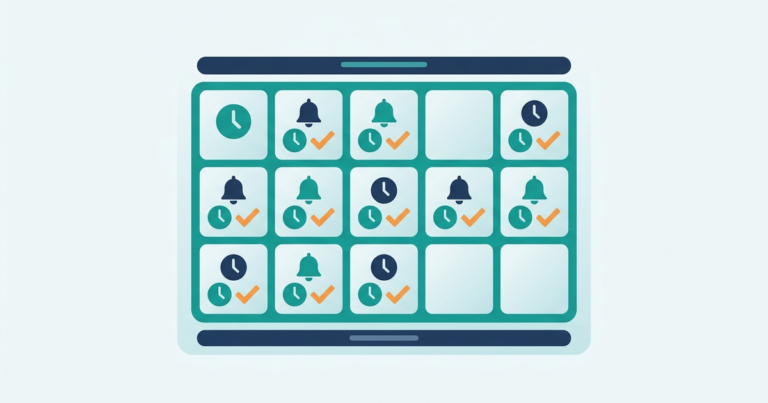
- Set an end date. Put a calendar reminder for the person who will remove the account, and remove it when the work is done.
How Does NordLayer Cover Each Part of This?
| Need | How NordLayer handles it |
|---|---|
| Separate account | The Control Panel manages users; the review notes admins can add or remove users from one dashboard, which you should confirm in the Control Panel documentation. |
| Limit what is reachable | Network segmentation through teams and gateways, and IP allowlisting, according to the help pages. |
| Sign-in checks | 2FA, SSO and biometric verification are listed on the help pages. |
| Device checks | The help pages list device checks, including detection of jailbroken or rogue iOS devices, but which plans include them is not confirmed. |
| End date | Not confirmed on the official site; removing the user in the Control Panel is a manual step. |
The help page does not say which plans include these features. The pricing page describes Core as basic network access control and Premium as more granular segmentation, so Lite may not cover this need.
How Much Does This Setup Cost?
NordLayer lists Lite at $8, Core at $11 and Premium at $14 per user per month with a five-user minimum, and Core and Premium list a +$40 per month Server with Dedicated IP. A team of five on Core is calculated as 5 × $11 + $40 = $95 per month before tax.
When Isn’t This the Right Fit?
- The contractor only needs one web app. Many web apps have their own guest or limited-user roles, which may be simpler than a network tool.
- You have fewer than five people. The seat minimum may cost more than the need justifies.
- You need proof of compliance. The help pages do not describe audit reporting, so check that separately.
Other zero-trust access tools, such as Twingate, address the same problem. Compare them against the same checks; our NordLayer vs Twingate guide shows how.
FAQ
Short answers to the questions that come up when you hire outside help.
Do I need a seat for a contractor?
The pricing is per user, so plan for the contractor to count as a user. Confirm at checkout.
Can I limit access to a single IP address?
The help pages describe IP allowlisting and gateways to limit access to job-relevant resources.
What about the contractor’s own laptop?
The help pages list device checks, but they do not say which checks each plan includes.
What if the contractor shares the login?
NordLayer’s pages do not address this. Give each person an account and keep the rule written down.
Summary
Give each contractor their own account, limit it to one system with a team and gateway, and remove it on the end date. Confirm the plan that includes these controls before you buy.
Next step: See NordLayer plans and test the contractor setup inside the 14-day money-back window.
Product features, plan limits, and prices change. Check NordLayer’s official pages before you buy.