Disclosure: The Stack Guidebook is reader-supported. When you buy through links on our site, we may earn an affiliate commission. Learn more in our Affiliate Disclosure.
Quick Answer
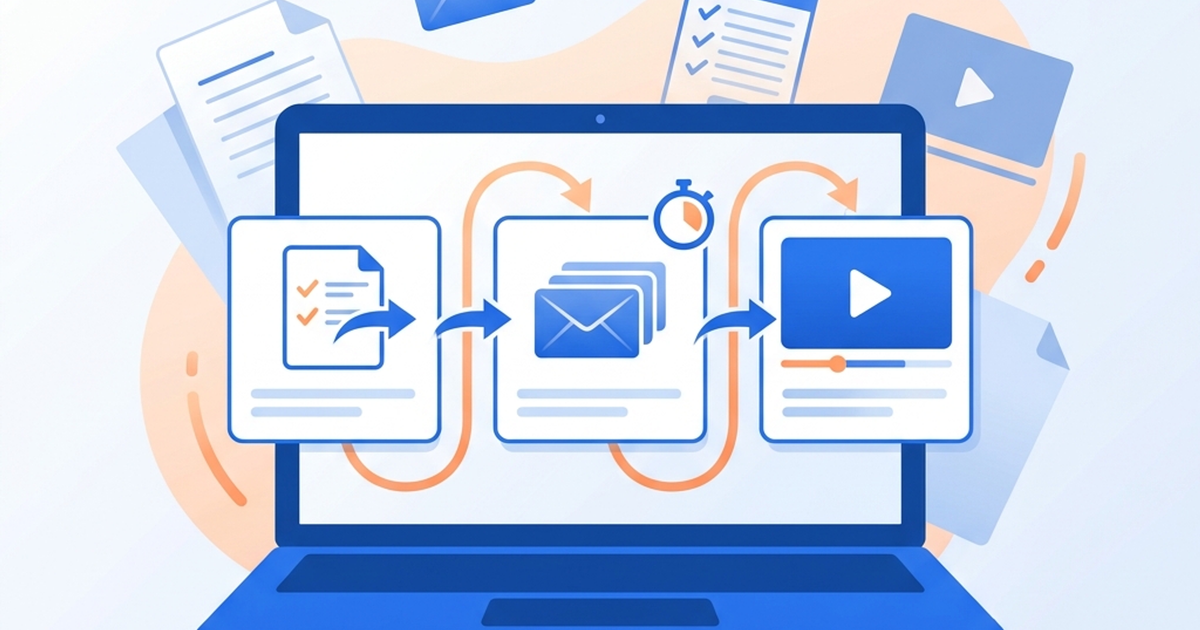
If you sell an online course and your sign-up form, landing page, email tool, and follow-up messages all live in different places, the fix is to put the whole path — from first sign-up to course enrollment — into one system that tags people by what they do and sends the right email automatically. You can build that path with several combinations of tools, but an all-in-one platform such as Systeme.io lets a solo instructor or small team run the form, the page, the automated emails, and the course itself from a single browser dashboard, starting on a free plan.
Try it first: Start with Systeme.io’s free plan and build one opt-in page to see how the path fits your course.
The Problem: Your Course Funnel Is Scattered Across Tools
Many independent instructors and small creators grow their audience the same way: a free guide or webinar brings people in, and an email list turns some of them into course buyers. The trouble starts when each piece of that path sits in a different place — a form builder here, a page builder there, an email service somewhere else, and the course on yet another platform.
When the pieces are separate, the gaps are filled by hand. You export a list from one tool and import it into another. You remember to send the course announcement to people who downloaded the guide but forget the ones who registered for the webinar. A buyer keeps receiving “don’t miss the launch” emails after they have already enrolled. None of these mistakes is dramatic on its own, but together they cost time, lose sales, and make your messages feel inconsistent to the people you most want to impress.
What “Solved” Looks Like
A working setup has one place where a new subscriber arrives, gets tagged by what they signed up for, and automatically receives the next relevant message. When someone buys, they are tagged as a customer, enrolled in the course, and moved to an onboarding sequence, with your automation rules set up so they no longer receive launch emails. You can open one dashboard and see how many people subscribed, how your emails performed, and who moved on to purchase — without exporting anything.
What a Solution Needs
Before comparing products, it helps to know what the setup has to do. For a solo instructor or small team, four capabilities matter most:
- Opt-in forms and landing pages you can build yourself. Your lead magnet or webinar needs a page and a form that feed directly into your list, without a developer.
- Behavior-based automated emails. Subscribers should receive different messages depending on what they signed up for and whether they have bought — this is what removes the manual follow-up.
- Visibility into results. You need to see subscriber counts and how your emails perform, so you know whether your announcements are working.
- A browser-based tool a small team can keep using. Nothing to install or host, and simple enough that you will actually maintain it week after week.
How to Solve It: The Workflow
Whatever tool you choose, the path you are building has the same four stages:
- Capture. Publish a landing page with an opt-in form for each entry point (free guide, webinar, waitlist).
- Tag. Label each new subscriber by the entry point they used, so the system knows what they are interested in.
- Automate. Connect each tag to an email sequence, and add a rule that moves buyers out of sales emails and into course onboarding.
- Review. Check subscriber growth and email results regularly, and adjust the messages that are not landing.
The more of these stages live in one system, the fewer places a subscriber can fall through the cracks.
Doing It with Systeme.io
Systeme.io is an all-in-one platform that combines funnels, email marketing, automation, and course hosting. According to Systeme.io’s own feature pages, here is how it maps to each requirement:
| What you need | How Systeme.io handles it |
|---|---|
| Opt-in forms and landing pages | Sales funnels built with a drag-and-drop editor from ready-made templates, plus a website builder. |
| Behavior-based automated emails | Broadcast campaigns, automated email sequences, tagging, and segmentation, with an automation builder based on triggers, conditions, and actions — for example, tagging contacts based on behavior and triggering a sequence when someone buys. |
| Visibility into results | A dashboard that shows broadcast email statistics and subscriber count. For deeper analysis than that, check the reporting options on the official site before relying on them. |
| Browser-based, small-team friendly | A no-code, drag-and-drop web interface with no separate hosting, plugins, or technical setup required. |
Because the course lives in the same system, the last step of the path is covered too: Systeme.io’s course builder supports video lessons, PDF downloads, drip content scheduling, module locking, and student progress tracking, and it can enroll a buyer automatically on purchase.
The setup outline below shows the smallest version of this path to build first.
Setup Outline
You do not need to rebuild everything at once. A minimal version of the workflow looks like this:
- Create one funnel from a template for your main lead magnet or webinar, with an opt-in form.
- Create a tag for that entry point and apply it when someone submits the form.
- Write a short welcome-and-nurture email sequence and trigger it from that tag.
- Upload your course and set enrollment to happen automatically on purchase.
- Add an automation rule that tags buyers and starts an onboarding sequence on purchase. Then check in your account how to stop your sales emails for tagged buyers — for example, by excluding the buyer tag from launch broadcasts — before your first launch.
- After your first announcement, review subscriber and email results in the dashboard, then add a second entry point only once the first path works end to end.
Cost and Fit
Systeme.io publishes four plans. According to its official pricing page:
| Plan | Price (per month) | Main limits |
|---|---|---|
| Free | $0 | 2,000 contacts, 3 sales funnels, 1 course, 1 blog, 1 custom domain |
| Startup | $17 | 5,000 contacts, unlimited funnels, 5 courses |
| Webinar | $47 | 10,000 contacts, automated webinar funnels |
| Unlimited | $97 | Unlimited contacts, free migration service |
Systeme.io states that email sending is unlimited on every plan, that it charges no platform transaction fee of its own on payments (your payment processor, such as Stripe or PayPal, still applies its own fees), and that annual billing gives two months free. For a solo instructor with one flagship course and a modest list, the free plan is enough to build and test the full path described above. The main reason to upgrade is growth: more contacts than the free limit, more than three funnels, or more than one course. Plan limits and extras such as sub-accounts are described differently in different parts of the pricing page and can change, so confirm them on the official pricing page before you commit.
If you are also weighing a higher-priced course platform, see our comparison of Systeme.io and Kajabi for a creator who hasn’t sold anything yet.
See Systeme.io pricing to compare the plans against your contact count and number of courses.
When This Isn’t the Right Fit
An all-in-one tool trades depth for simplicity. It may not be the right choice if:
- You already host your course elsewhere and are happy with it. In that case you mainly need forms, pages, and email automation. A creator-focused email platform such as Kit, which offers sign-up forms, landing pages, and behavior-based email automation, can sit alongside your existing course platform. We walk through that setup in How to Automate Your Course Launch Emails Without Moving Your Course.
- Email marketing and analytics are the center of your business. If you want a dedicated email marketing tool with forms, landing pages, automation, and analytics, GetResponse is worth comparing.
- You need advanced design control or complex reporting. Template-based builders cover most course funnels, but if your brand depends on highly customized pages or detailed attribution reporting, check each tool’s limits against your requirements before switching.
Summary
If your sign-up form, landing page, emails, and course are spread across different tools, the manual work between them is what causes missed follow-ups and mismatched messages. The fix is a single path: capture subscribers on one page, tag them by what they signed up for, let automation send the right sequence and move buyers into onboarding, and review the results in one dashboard. Systeme.io lets a solo instructor or small team build that entire path — including the course itself — in one browser-based system, and you can test it on the free plan before paying anything.
Next step: Start with Systeme.io’s free plan, build one opt-in page and one automated sequence, and expand only once that first path runs on its own.
Product features, plan limits, and prices change over time. Always confirm current details on the official Systeme.io website before making a purchase decision.